


 The vault timing bug
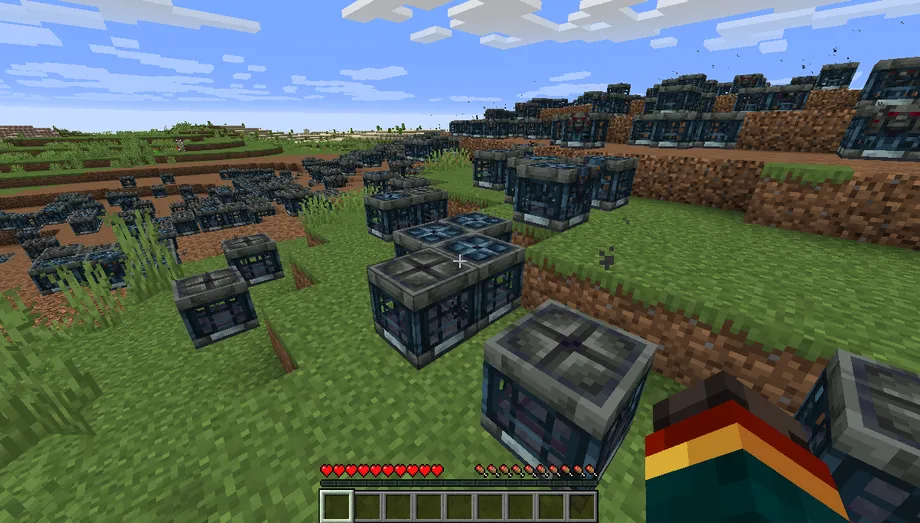
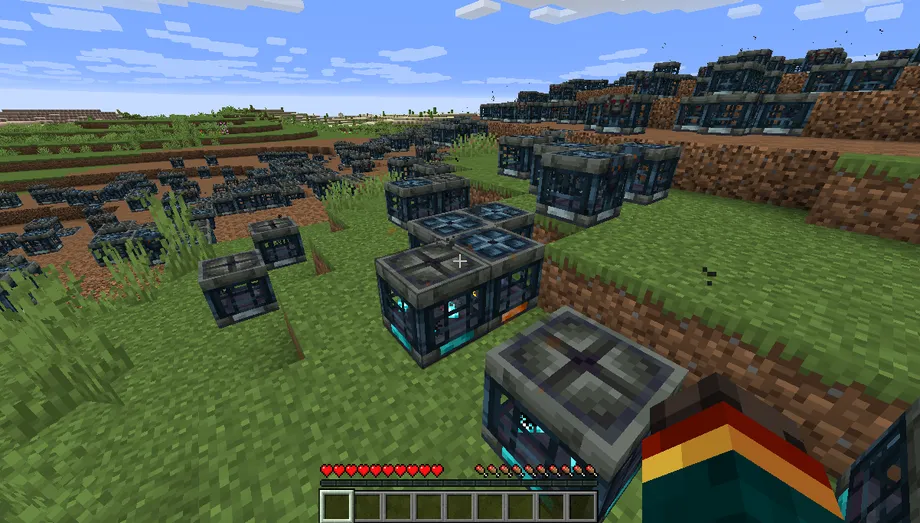
Why a vault freezes
Each vault stores a tick for when it may next update. Worlds carried through some edits or version jumps leave that value set far in the future, so the vault never re-arms: it ignores its key, plays no animation, and drops no loot. Zeroing the timer wakes every affected vault at once.
- 1Choose
Drop a structure, zipped world, or world folder.
- 2Inspect
It scans locally and builds a separate fixed copy.
- 3Swap in
Download the copy and test a vault before going live.
0L is a 64-bit Long. /data modify block ~ ~-1 ~ server_data.state_updating_resumes_at set value 0L Repair a world or structure
.nbt, a zipped world, or a world folder. Bedrock is not supported. Runs locally. Nothing is uploaded, this page has no processing server.
Ready when you are.
Download fixed copyVault NBT changes
Expand a vault to inspect its typed NBT before and after repair.
Exact repair scope
minecraft:vault → server_data → state_updating_resumes_at (Long) = 0 Only the existing eight-byte value is zeroed. No vault configuration, loot table, rewarded-player list, block state, entity, terrain, or other world data is intentionally altered.
Prefer to fix it by hand? Vanilla commands, structure export, NBTExplorer, and safety notes
Manual alternatives
A few vaults only? Vanilla commands or NBTExplorer may be quicker. Make a backup first in either case.
01 Fix one vault in-gameVanilla /data command
The one-liner at the top of this page uses relative coordinates. To target a vault by absolute position instead:
/data modify block <x> <y> <z> server_data.state_updating_resumes_at set value 0L - Use
0Lwith a capital or lowercase L. It is a 64-bit Long.0smakes a Short and is the wrong type. - This resets the timer only. Loot configuration, rewarded players, and the ominous setting are kept.
- Do not repair with
/setblock; it can discard the vault's existing block-entity data.
02 Repair a structure before exportRound-trip through a structure block
- Place and load the structure with a structure block.
- Run the command above once for every vault coordinate.
- Save the structure immediately under a new name.
- Use that new
.nbtin WorldPainter.
The vault's visual ominous block state is separate from this frozen timer. This repair does not turn a regular vault ominous or change its key and loot.
03 Edit it with NBTExplorerManual tag editing
Structure .nbt
Open a copied structure file, expand blocks, and inspect each list entry's nbt compound. Find entries whose id is minecraft:vault.
Complete Java world
Open a copied world folder, then its dimension's region folder and relevant r.x.z.mca. Expand the chunk and block_entities. Older formats may show a Level wrapper or call the list TileEntities.
For every matching vault, expand minecraft:vault → server_data → state_updating_resumes_at, confirm the tag type is Long, set its value to 0, and save. Searching the string minecraft:vault is safer than opening every numbered entry.
Applying the result
- Keep your original world as the backup. The tool never overwrites it.
- Fully stop Minecraft or your server before replacing any save files.
- For a world, the download is an overlay: it holds only the region files that changed. Extract it into your world folder, replacing the originals, then test a vault near a player. A single structure downloads as one fixed
.nbtinstead.
Compatibility: Java Edition Anvil regions using gzip, zlib, or uncompressed chunks. Rare LZ4 or external (.mcc) chunks are preserved and reported as not scanned. World folders are read one file at a time, so even multi-GB saves fit in memory. A single zipped world is decompressed in full, so very large zips still need the folder instead.